


1Locker
Large 1Locker
Large 1Locker
Share
Couldn't load pickup availability
Step up your asset management with the Large 1Locker System. Engineered specifically as a flagship tower model for high-capacity needs, this premium, plug-and-play freestanding smart locker eliminates all installation guesswork and provides maximum storage cavity space to give you total control in minutes.
It features an intuitive, rugged 10" IP65-rated touchscreen interface for seamless, rapid authentication via PIN, QR or barcode scanning. Fully integrated with our secure, web-based management portal, the system offers complete remote management, automatic item check-in/check-out verification and instant report generation. It is the ultimate hassle-free solution for securing, tracking and automatically charging your heaviest volumes of mission-critical assets.
Technical Specifications
Here is the information structured into a clean Markdown table format:
| Feature | Specification |
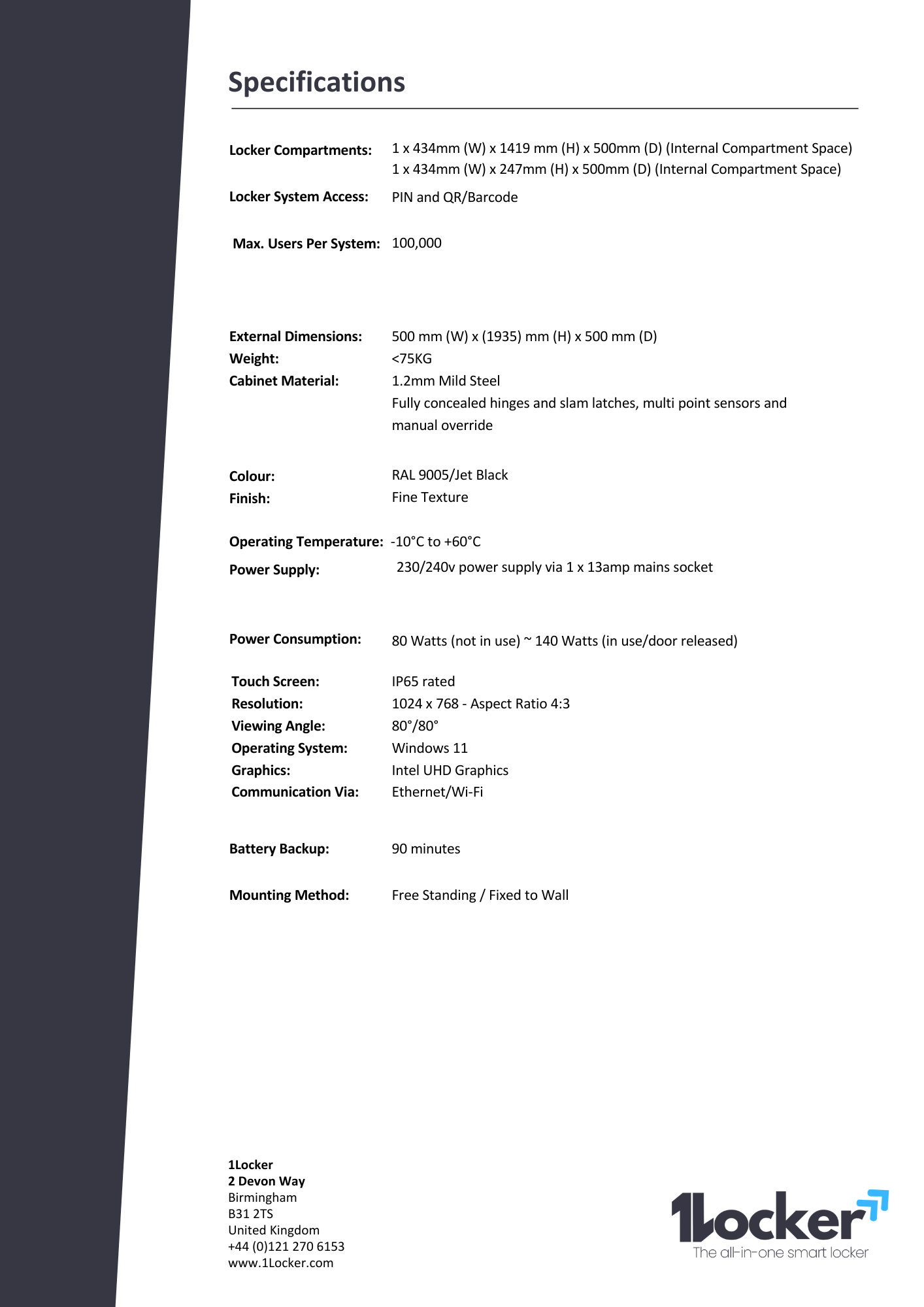
| Dimensions (External) | 1935mm (H) x 500mm (W) x 500mm (D) |
| Internal Compartments |
* Compartment 1: 1419mm (H) x 434mm (W) x 500mm (D) * Compartment 2: 247mm (H) x 434mm (W) x 500mm (D) |
| Material | Premium, Double-Skinned Steel |
| Interface | Integrated IP65-rated high-definition touchscreen with flush-mounted security camera |
| Connectivity | Secure Wi-Fi, fully integrated with the intuitive 1Locker web-management software |
| Warranty | 2-Year Inclusive Warranty |


FAQs
What is included in the "Plug and Play" setup?
Every 1Locker arrives fully assembled and ready to go. Simply position your locker (freestanding or wall-mounted), plug it into a standard 1 x 3-pin power outlet and connect it to your Wi-Fi network. Our step-by-step user manual will guide you through setting up your locker in under 5 minutes.
How do users gain access to the locker?
The 10-inch IP65-rated touchscreen console natively supports three secure entry methods: entering a unique custom PIN, scanning a QR code or scanning a traditional barcode (such as an existing employee ID card).
How does the item check-in/check-out verification work?
When a user accesses a compartment, they check the item in or out simply by scanning the item's barcode. The system instantly registers the exact item profile, user ID, timestamp and action. Simultaneously, an integrated high-definition security camera captures a snapshot of the interaction, creating an absolute, undeniable audit trail of exactly who handled which asset.